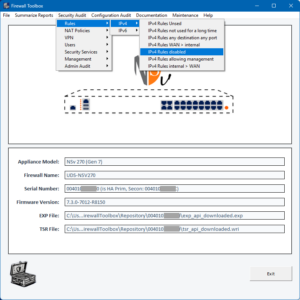
Supprimer les règles basées sur les filtres du rapport (voir ci-dessus) :
- Règles de pare-feu inutilisées (IPv4 et IPv6)
- Règles qui n'ont pas été utilisées pendant une période spécifique
- Règles sélectionnées manuellement
Supprimer les règles NAT en fonction des filtres du rapport (voir ci-dessus) :
- Règles qui n'ont pas été utilisées pendant une période spécifique
- Je n'ai jamais utilisé de politiques NAT
- Règles NAT sélectionnées manuellement
Maintenance (fonctions API)
Ces opérations nécessitent une connexion API active au pare-feu. Une fois connecté, Firewall Toolbox vous permet d'exécuter les opérations en masse suivantes rapidement et en toute sécurité, avec la possibilité d'annuler les modifications si nécessaire. Avant chaque opération par API, Firewall Toolbox sauvegarde automatiquement les fichiers TSR et EXP actuels. De plus, toutes les commandes API requises pour restaurer les objets supprimés sont enregistrées, offrant ainsi un chemin de récupération si les modifications doivent être annulées.
Règles de pare-feu
Supprimer / renommer les règles de pare-feu en fonction des résultats du rapport et des filtres (voir ci-dessus) :
- Règles de pare-feu inutilisées (IPv4 et IPv6)
- Règles qui n'ont pas été utilisées pendant une période spécifiée
- Règles de pare-feu sélectionnées manuellement
Règles NAT
Supprimer les stratégies NAT en fonction des résultats du rapport et des filtres (voir ci-dessus) :
- Politiques NAT qui n'ont pas été utilisées pendant une période spécifiée
- Politiques NAT qui n'ont jamais été utilisées
- Règles NAT sélectionnées manuellement
Objets d'adresse
- Supprimer les objets d'adresse inutilisés
Fonctions expérimentales
- Recherche d'objets d'adresse en double
- Suggestions de conventions de nommage pour les objets d'adresse
Autres fonctions et fonctionnalités
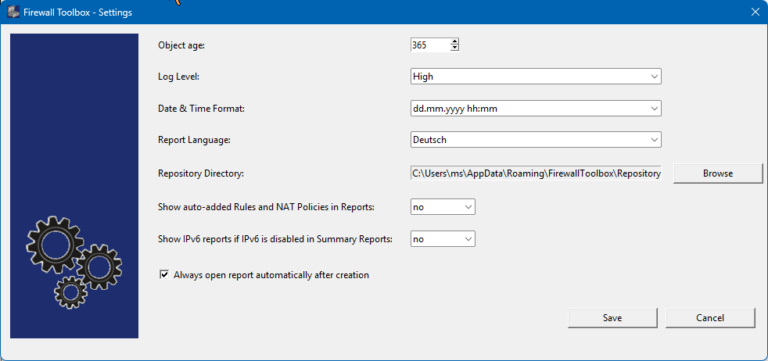
Paramètres
- Format de date
- Langue du rapport (allemand/anglais)
- Afficher les règles / objets par défaut (oui/non)
- Afficher les informations IPv6 si IPv6 est désactivé sur le pare-feu
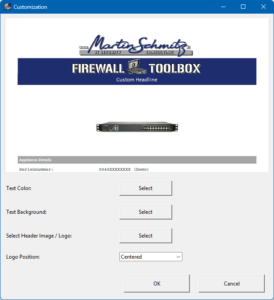
Personnalisation du rapport :
- Ajoutez votre propre logo
- Ajuster la couleur du texte d'en-tête / la couleur d'arrière-plan