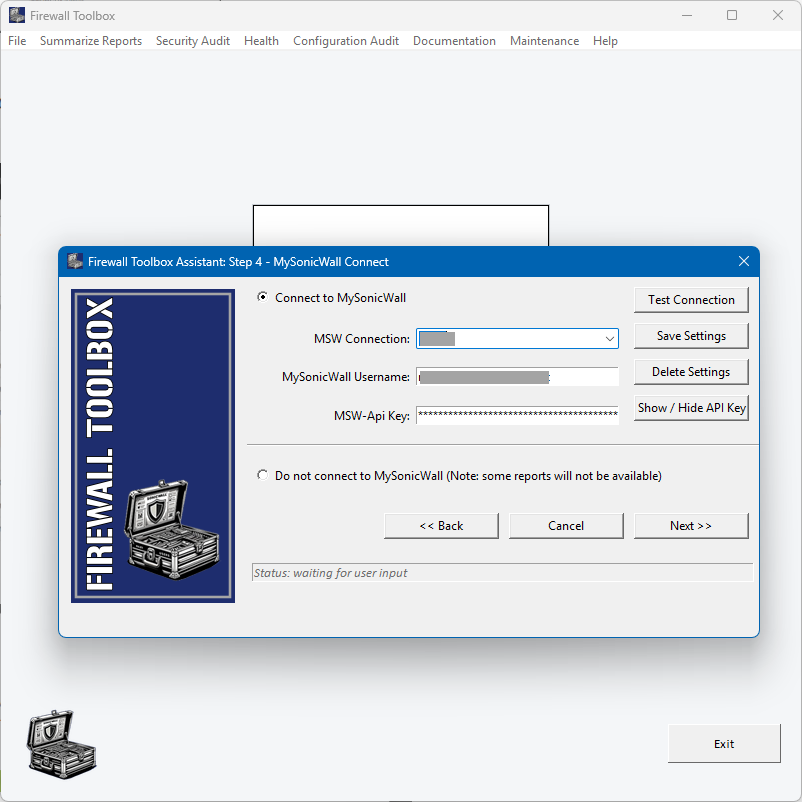
Firewall Toolbox can access the backend at MySonicWall. This needs to be enabled under www.mysonicwall.com.
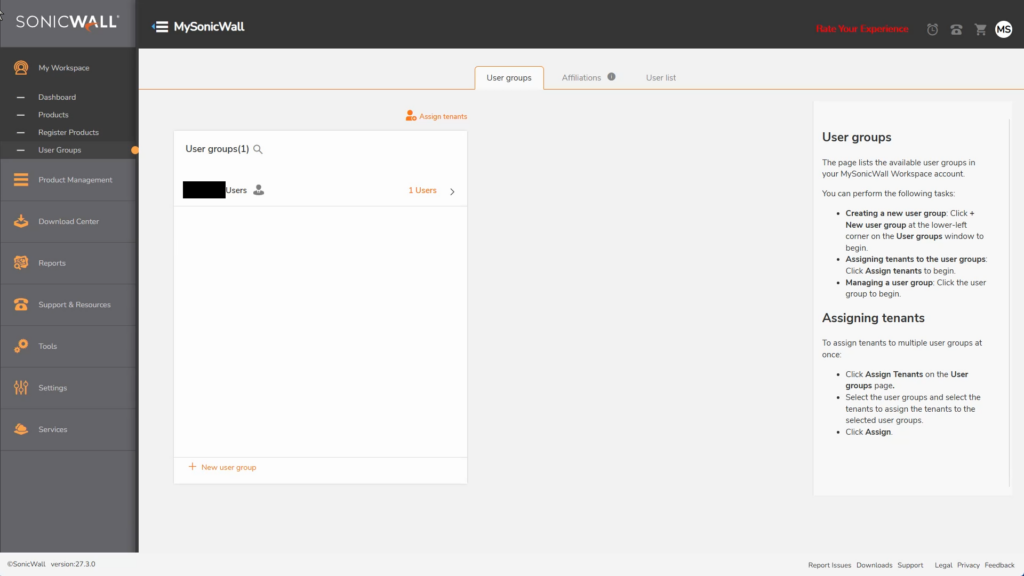
Login in with your MSW-Account, go to My Workspace / User Groups
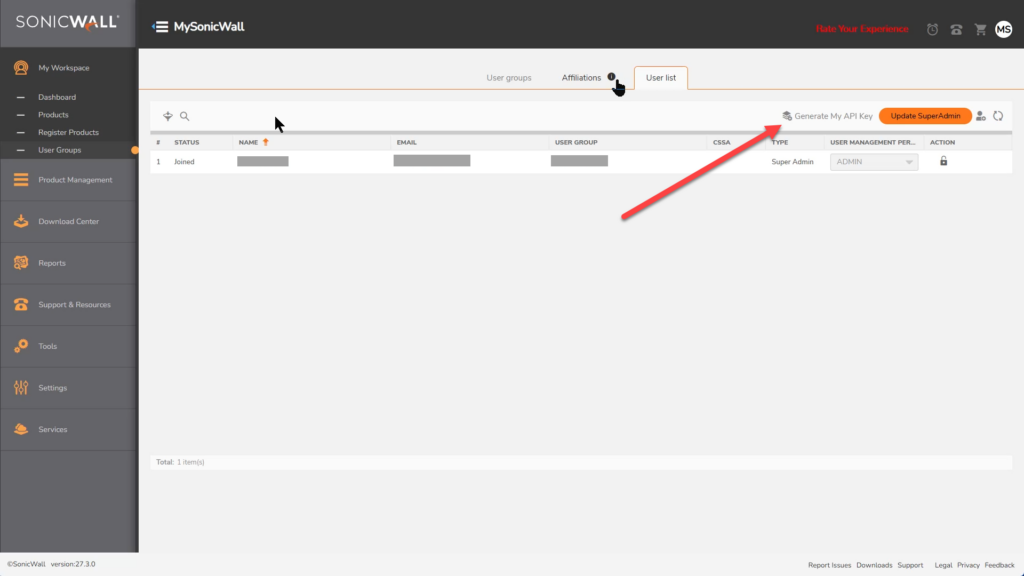
Go to the tab “User List”
On top right there is a button “generate My API Key”
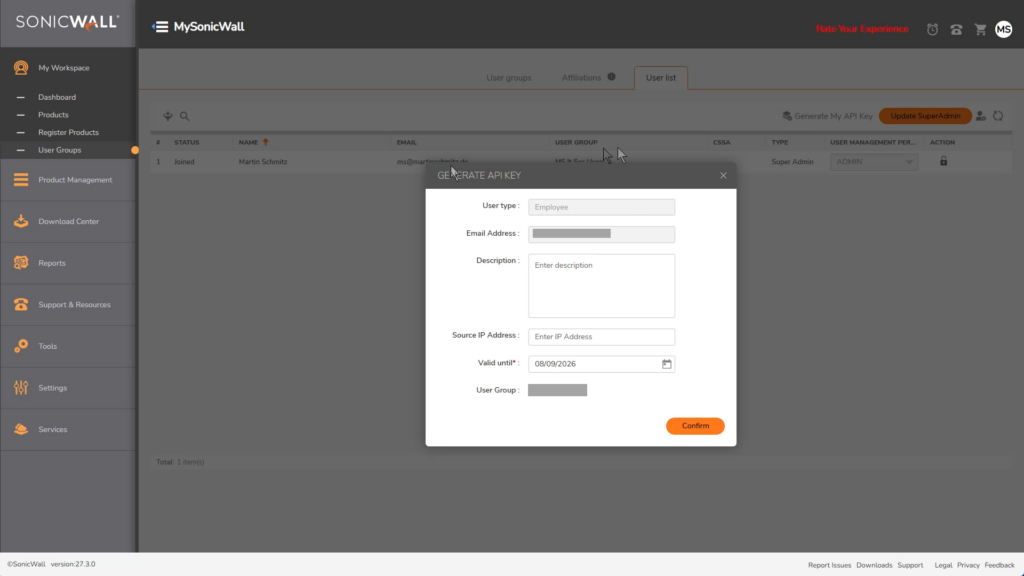
You can specify the source IP and how long the Key will be active by entering a date. Click on confirm.
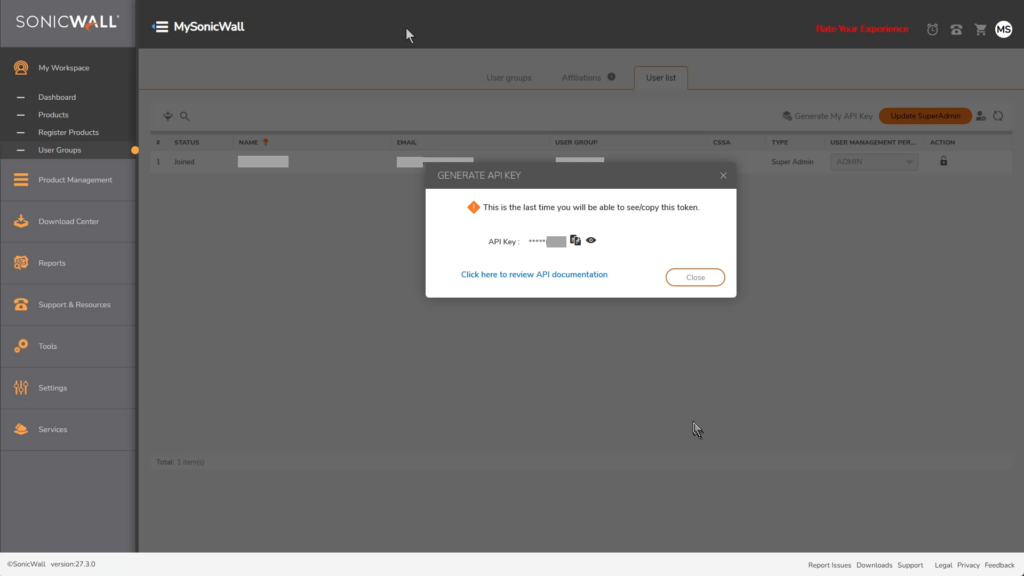
You can now show / copy the key. It is only displayed once, so make sure it is stored in a save location.
During the data upload wizard in Firewall Toolbox, enter your MySonicWall username and the you just generated: