Reports and Functions

These Reports are available  (Firewall Toolbox Version 1.8,Stand 3/2026)

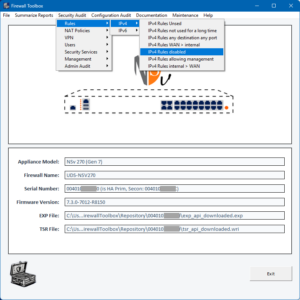
Rules

(for IPv4 & IPv6)

  • Rules that have not been used for a defined period
  • Rules never used
  • Disabled rules
  • Rules “any destination, any port”
  • Rules from WAN > internal
  • Rules from internal > WAN
  • Rules that allow management access

NAT Policies

(for IPv4 / v6)

  • NAT Policies deactivated
  • NAT Policies never used

VPN

  • VPN Crypto Check (weak Ciphers, DH Groups, IKE Modes)

Utilization

  • Firewall Utilization

Security Services

  • Security Services activ / disabled
  • Security Services per Zone
  • Security Services Expiration

Management

  • Firewall Management Access Options
  • External Firewall-Logging

Reliability

  • Hardware Failover
  • WAN Failover

Admin Audit

  • Configuration internal Audit
  • Audit Records 

Product

  • Lifecycle
  • Status of licenses

User

  • User with  administrative Rights
  • User and Groupassignment
  • Access Rights per User
  • Account Protection (2FA)
  • External Authentication

Firmware

  • Firmware Historie
  • Check if Firmware is up-to-date (needs API access to MySonicWall)

Documentation

Interfaces

  • IPv4 Interface Configuration

Rules

  • All Firewall Rules (IPv4 & IPv6)

NAT Policies

    • All NAT Policies (IPv4 & IPv6)

API Operations

Delete rules based on report filters (see above):

  • Unused firewall rules (IPv4 & IPv6)
  • Rules that have not been used for a specific period
  • Manually selected rules

Delete NAT policies based on report filters (see above):

  • Rules that have not been used for a specific period
  • Never used NAT policies
  • Manually selected NAT policies

Experimental Functions

  • Finding duplicate address objects
  • Suggestions for naming conventions for address objects
  • Zero-touch troubleshooting report

Other Functions and Features

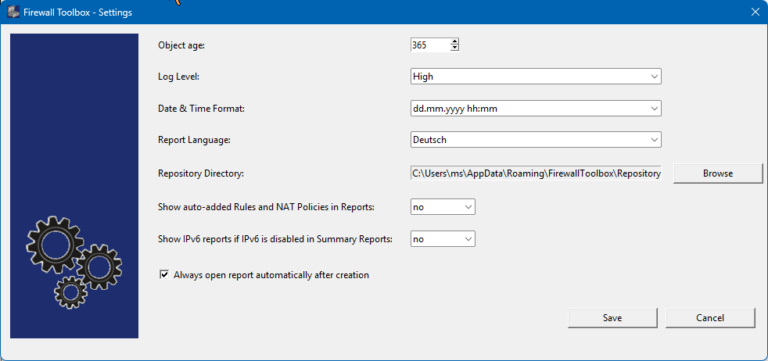
Settings

  • Date format
  • Report language (German/English)
  • Display default rules  / objects (yes/no)
  • Display IPv6 information if IPv6 is disabled on the firewall
 
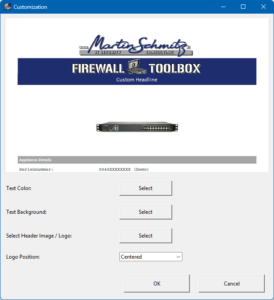
Report Customization:
  • Add your own logo
  • Adjust color of heading text / background color